How to install your eSIM on Android
Follow the interactive guide below to install and activate your BNESIM travel eSIM in just a few minutes.
1Install
2
3
Install · Step 1 of 2
Start the installation
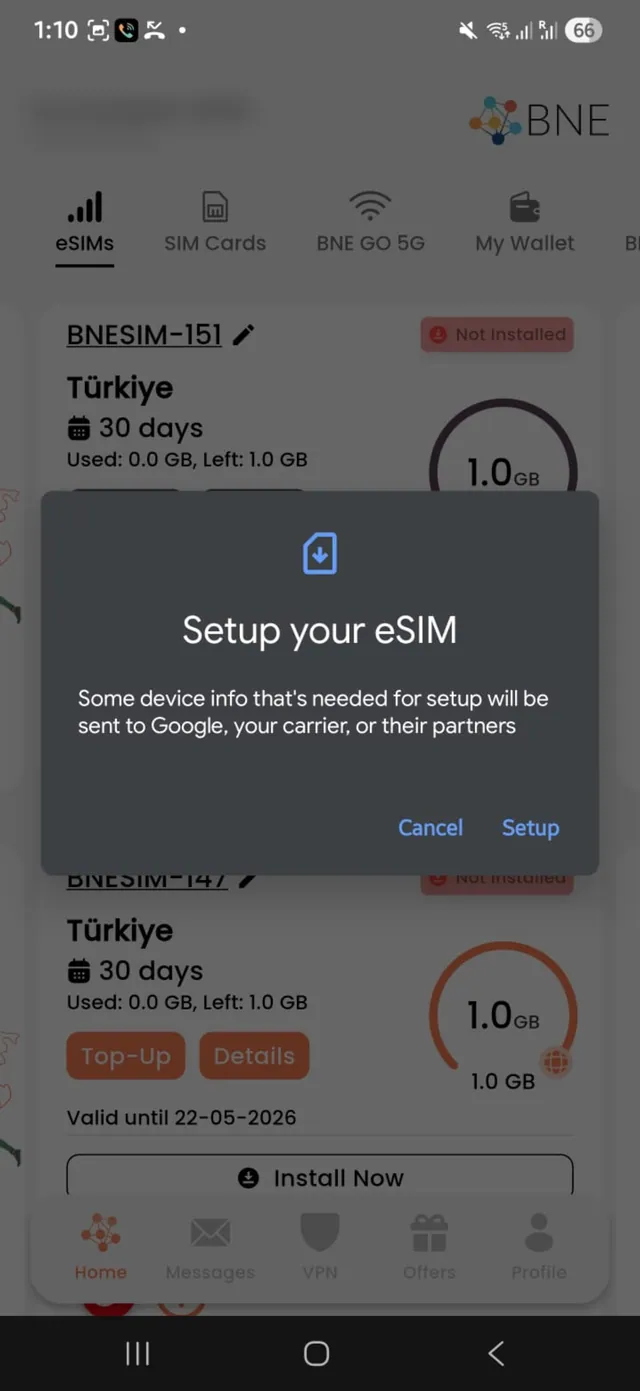
Open the BNESIM app, go to My eSIMs, and tap Install now on the eSIM you want to install. When the Setup your eSIM pop-up appears, tap Setup.
Before you start. Connect to stable Wi-Fi (or a reliable mobile data connection), and don't close the app or lock your phone during installation.